
Redesigning Instagram’s navigation
Helping people adapt to a major product change without friction.
My role
Content Designer
team
Everyone
timeline
5 months
(05/25 – 10/25)
In late 2025, Instagram rolled out a major navigation redesign. Reels moved to a more prominent position, Messages was added to the bottom navigation bar, and swipeable tabs were introduced across the app. These changes reflected how people already use Instagram: Reels accounts for roughly 50% of time spent on Instagram, and messaging and sharing have driven the majority of Instagram’s growth over the last few years.
But updating navigation at this scale is risky. Even small changes can confuse people, disrupt habits, or hurt engagement. (Or just make people plain ol' mad.)
As the content designer on the core navigation team, I was responsible for crafting the words, flows, and education that would help people understand and adopt the new experience.
project

Old
New
You’re disrupting learned behavior
Most users don’t read navigation labels, they just remember where things are. When something moves, it’s usually immediately noticeable.
The change needs to feel worth it
It’s not enough to say “things moved.” You need to communicate why and what’s been improved.
Scale amplifies every word
Every word needs to work across languages, cultures, and accessibility needs.
Tone matters enormously
Too casual feels dismissive of people’s frustrations, but too formal feels corporate. We need to land somewhere that’s empathetic, clear, and confident.
challenge
For a product used by billions of people, changes to navigation are inherently high-stakes because they reshape how people interact with the core experience. They’re especially tricky for content design, because:
strategy
We focused on making the transition feel gradual, understandable, and in users’ control.
01
Be clear, not clever. In moments of change, people need to understand things instantly. The goal wasn’t to draw attention to the change, but to help people adapt quickly and move on.
02
Set accurate expectations. We intentionally moved away from broader framing (“a new Instagram”) to avoid overpromising. Instead, we focused on clearly describing the changes to reduce potential confusion or disappointment.
03
Give people agency. Inviting people to opt in before global rollout made the change feel less forced.
04
Teach in context and design for frustration. Help people adjust as they use the product, not all at once.
05
Think in systems, not screens. Navigation language needs to work as a system, not just in one place.
06
Plan for global scale. Everything was written to be accessible and easy to translate from the start.
Key design decisions and principles
Opt-in strategy and messaging
Instead of forcing the change on everyone at once, we gave people the option to try the new navigation early. I designed the full opt-in experience, including:
Entry points that clearly explained what would change, and
Confirmation flows that set expectations without overpromising
This gave people a sense of control and helped build trust before the full rollout.
In-app education
Once people opted in, I designed lightweight education to help orient them.
A tooltip highlighted where key features moved, like Messages and Create
New-user-experience flows introduced changes gradually, instead of all at once
Education was designed to disappear quickly once it was no longer needed
The goal wasn’t to teach everything; it was to help people get their bearings and then move on.
Navigation naming and terminology
I also helped standardize how navigation elements are named and described across the app, so the language stays consistent across platforms and devices. This created a more cohesive system that can scale as the product evolves.
design
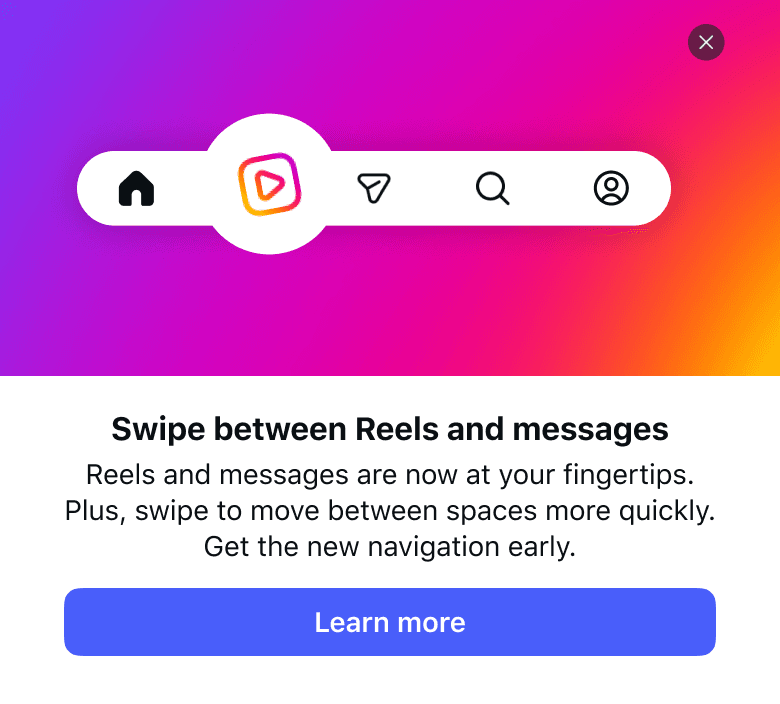
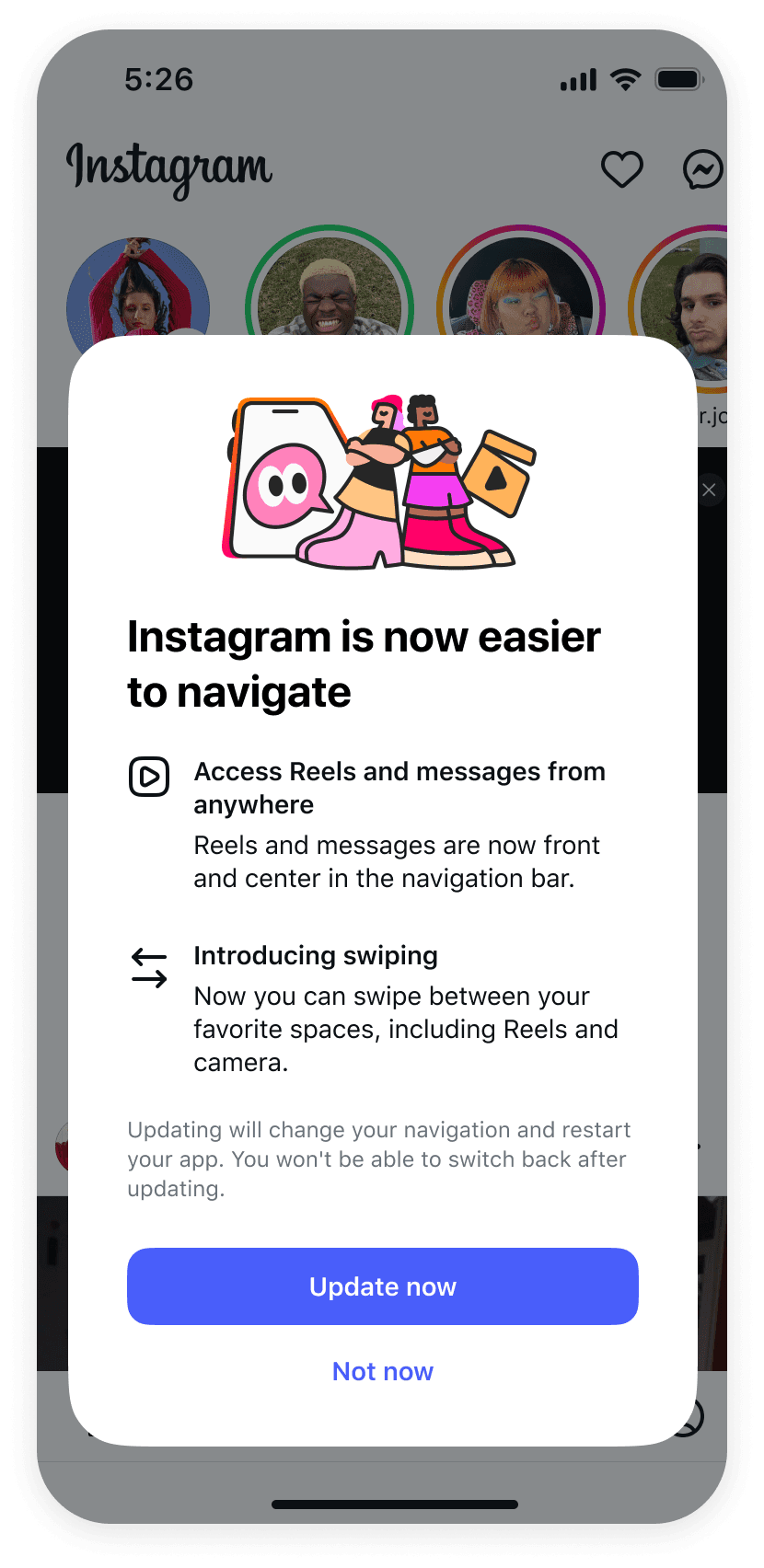
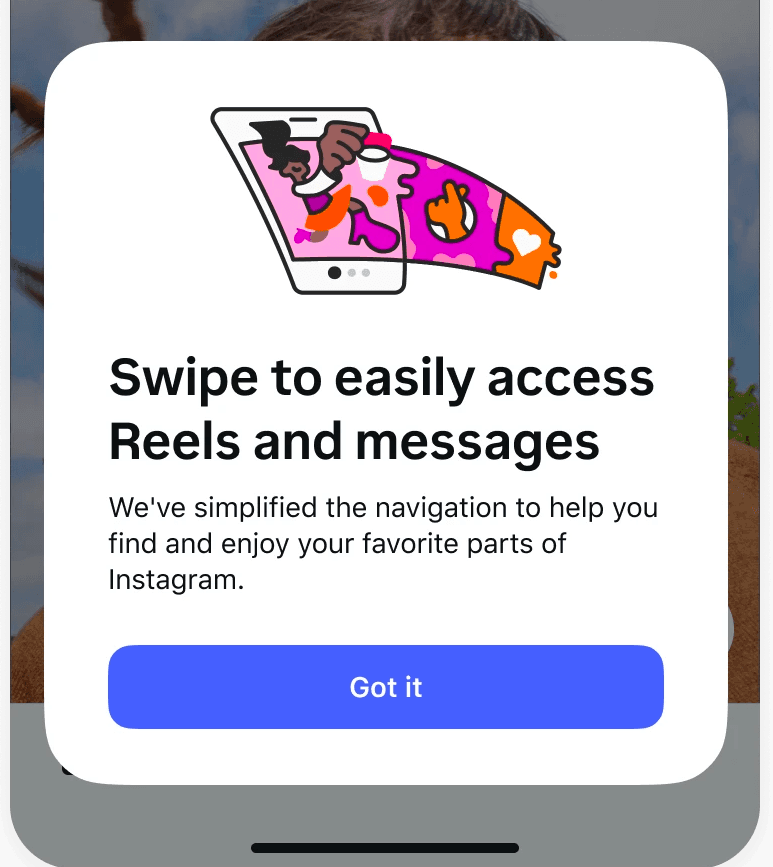
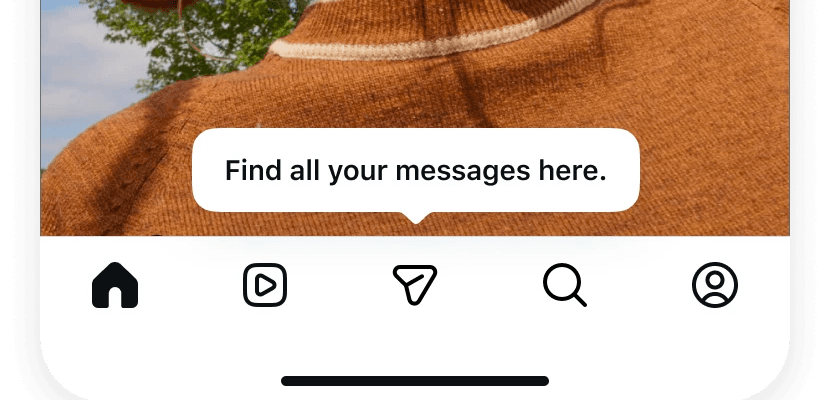
What a user would see in their Home feed
The redesign rolled out globally without major backlash or negative press—an uncommon outcome for a change to core navigation, especially at this scale. It’s currently the global default for Instagram.
impact
Did people notice?
Mostly, no—which is good! In early interviews, most didn’t realize anything had changed until specifically asked about it. One person even had 2 accounts and didn’t notice a difference. People just adapted naturally.
This means that the change was smooth enough that it didn’t disrupt how people use the app—which is great for a navigation overhaul. You want people to adjust without friction.
Did people like the change?
People who already watched a lot of reels liked having it closer to the home button due to the convenience. People who didn’t really watch reels were neutral and didn’t mind either way.
Having Messages in the navigation bar was seen as a positive, especially for those who message a lot on Instagram.
Did this make people stop using Instagram?
This was the big-ticket question. Short answer, no.
What was measured
DAU (Daily Active Users)
Are fewer people opening the app each day?
Are people opening the app fewer times each day?
Cap15 sessions
Are people spending less time on the app?
Time spent
iPhone: -0.003%
Android: -0.19%
iPhone: +0.16%
Android: -0.22%
Trending upward for both
Results
So what does that all mean?
Essentially, the navigation changes didn’t cause people to leave or use Instagram less. If anything, there were small positive signals, especially for iPhone. Android numbers were slightly negative but still within the margin of error, meaning it could’ve just been random noise vs. a real decline.
Overall, it was a successful launch!
119.7M people opted into the new navigation early, so roughly a 4.6% opt-in rate. For a prompt asking people to voluntarily change something they use every day, that's a strong signal the messaging earned their trust. Most of those opt-ins also came through the entry point in their Home feed rather than through Settings, which suggests people understood what they were signing up for and decided it was worth trying. Plus,
No significant drop in people using the app
No major public backlash or press cycle
Time spent on the app trended upward after rollout
bay area, ca